
Download Skype Status Changer – change Skype status automatically, do not disturb, focus mode, productivity tool, task management, lightweight app
Overview
Skype Status Changer is a streamlined mobile utility designed to help users maintain focus during critical tasks by automating their Skype presence. The app targets individuals who rely on Skype for communication but need to minimize distractions during gaming sessions, deep work, or other concentration-heavy activities. By automatically switching the user’s status to 'do not disturb' when another application is in use, it prevents incoming calls and messages from interrupting workflow. This functionality supports improved task management and enhances overall productivity, particularly in environments where constant digital interruptions can disrupt focus.
The app is developed by SoftPas, a known contributor to the Android productivity space, and has been available since May 31, 2013. Though the developer did not provide additional technical details about the app’s architecture or update frequency, its longevity suggests a stable and functional core. Real-world use cases include remote workers managing tight deadlines, online gamers avoiding call disruptions, and professionals balancing multiple digital tools. In the broader app ecosystem, Skype Status Changer fills a niche for lightweight automation tools that operate at the system level without requiring complex permissions or high resource consumption.
Key Features & Functionality
- Automatic Status Management: The app monitors active applications and automatically changes the Skype status to 'do not disturb' when another app is in use, ensuring uninterrupted focus.
- Seamless Transition: Upon closing the active application, the user’s Skype status reverts to 'online', maintaining availability without manual intervention.
- Focus on Important Tasks: Ideal for users engaged in gaming, coding, or deep work, this feature helps preserve workflow continuity by reducing context switching.
- Lightweight and Easy to Use: With a file size of just 1.1 MB, the app is designed for minimal system impact and quick setup, making it accessible even on older Android devices.
- Improved Productivity: By managing online presence automatically, users can dedicate full attention to their current task without the cognitive load of manual status updates.
For example, a freelance developer working on a tight deadline can open their code editor, and the app will instantly set their Skype status to 'do not disturb'. When they switch back to Skype to respond to a client, the status reverts automatically. Similarly, a gamer can start a match without worrying about being pinged by friends. These real-world scenarios demonstrate how the app supports task management in dynamic digital environments.
Interface, UX & Performance
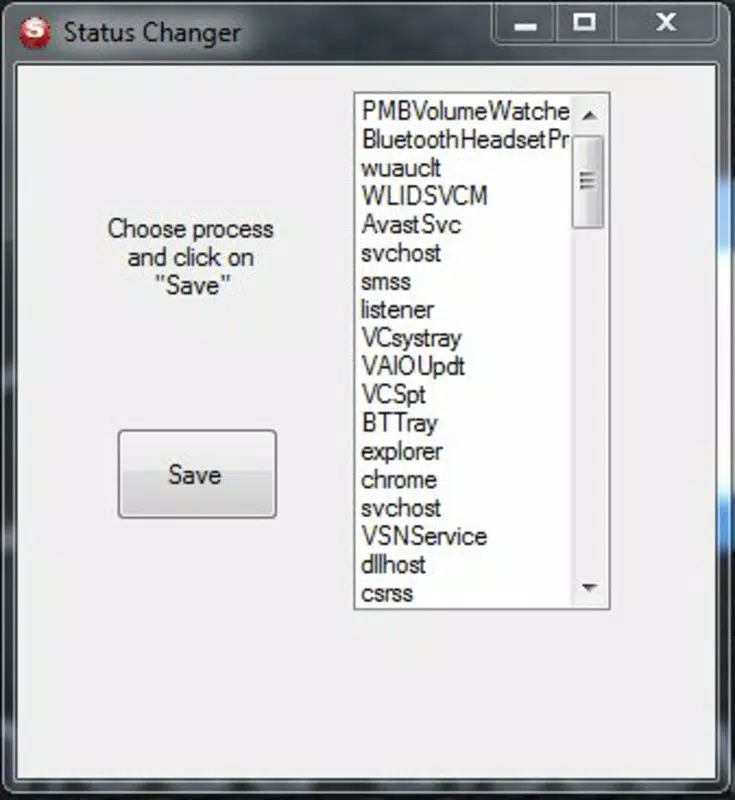
Skype Status Changer features a minimalistic interface that prioritizes functionality over visual flair. The user experience is straightforward, with no onboarding or complex setup steps required. Navigation is intuitive, allowing users to activate the automation with a single tap. The app operates in the background, consuming minimal system resources, which contributes to its lightweight nature.
Although the developer did not list formal performance metrics, the app’s small file size and long-standing presence on Android suggest consistent stability across various device categories. It is expected to function smoothly on mid-range and older Android devices, though specific compatibility details were not disclosed. Responsiveness appears to be optimized for background operation, ensuring that status changes occur promptly when app usage shifts. The app does not appear to require frequent updates, which may reflect a mature, low-maintenance codebase.
Platform Compatibility & Technical Requirements
Skype Status Changer is available exclusively on the Android platform. The current version is 2.2, with a file size of 1.1 MB, making it suitable for devices with limited storage. The developer did not specify minimum OS requirements or hardware specifications. Compatibility information was not fully disclosed, so users should ensure their device supports the latest available Android version to avoid potential issues. The app is free to download and install, with no in-app purchases or advertisements mentioned.
Pros and Cons
Pros
- Automatically manages Skype status without manual input.
- Lightweight design with minimal impact on device performance.
- Seamless status switching when switching between apps.
- Free to download and use with no hidden costs.
- Designed for productivity and focus during gaming or work.
Cons
- Developer did not provide detailed system requirements or OS compatibility.
- No visible update history or changelog available.
- Only available on Android, limiting cross-platform access.
- May not support newer versions of Skype if API changes occur.
- Functionality is limited to status automation; no additional features included.
FAQ
Is Skype Status Changer safe to install?
The app is free and does not require excessive permissions. As it operates at the system level to monitor app usage, users should ensure it is downloaded from a trusted source.
Does the app require constant internet access?
No, the app functions offline once installed. It relies on local system monitoring rather than cloud services.
Can I use this app on iOS devices?
Currently, Skype Status Changer is only available for Android. There is no official iOS version listed.
How often does the app update?
The developer did not publish an update schedule or changelog. The last known version was released in 2013, suggesting infrequent updates.
Will the app interfere with other productivity tools?
Given its lightweight design and minimal system footprint, the app is unlikely to conflict with other applications. However, users should monitor performance if running multiple automation tools.
Final Thoughts
Skype Status Changer remains a reliable, no-frills solution for users seeking to maintain focus by automating their Skype presence. Its simplicity, low resource usage, and long-standing availability make it a dependable tool for anyone who values uninterrupted workflow. While it lacks modern features and update transparency, its core functionality continues to serve its intended purpose effectively. For individuals who frequently switch between tasks and need to minimize digital distractions, this app offers tangible benefits without complexity.
Download Skype Status Changer now


